
Let’s be completely honest for a second—building a killer gaming setup can feel like a total money pit.
Every single week, a new “game-changing” gadget trends on social media. One day it’s a shiny $200 mouse with enough RGB lights to blind a small village, the next day it’s a magnetic keyboard claiming it will instantly rank you up to Grandmaster. It’s easy to feel like your current setup is outdated before you’ve even unboxed your latest purchase.
Here is the truth nobody tells you in flashy marketing campaigns: you don’t need a $3,000 rig to have a fantastic time playing games.
   ┌─────────────────────────────────────────────────────────┐
   │                 THE MARKETING ILLUSION                  │
   ├─────────────────────────────────────────────────────────┤
   │  Flashy RGB  ──>  Crazy Price Tags  ──> Empty Wallet    │
   └─────────────────────────────────────────────────────────┘
                                │
                                ▼
   ┌─────────────────────────────────────────────────────────┐
   │                  THE REAL VALUE STACK                   │
   ├─────────────────────────────────────────────────────────┤
   │  Ergonomics  ──>  Reliable Controls ──> Total Comfort   │
   └─────────────────────────────────────────────────────────┘
In 2026, the real upgrade strategy isn’t buying the most expensive gear. It’s picking the small, comfortable, and responsive pieces that solve actual problems while you play. Let me walk you through what’s actually worth your hard-earned money, what you can safely skip, and how to build a setup you’ll genuinely love spending time at.
1. Why the Small Details Make or Break Your Gaming Sessions
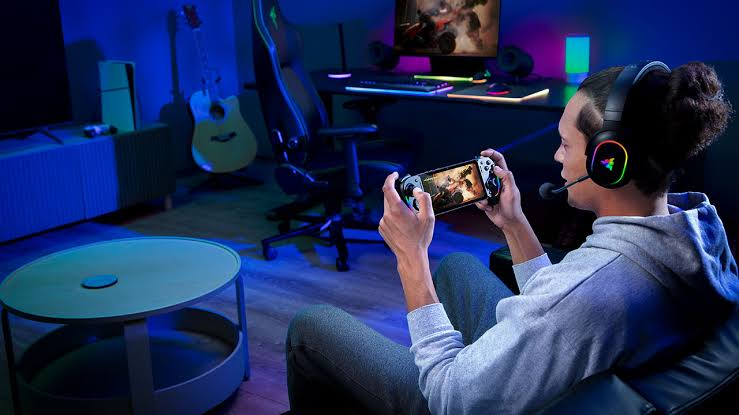
Think about how you actually spend your time when you log on for the night.
If you’re grinding competitive Valorant or Counter-Strike for four hours straight, an ultra-lightweight mouse and a grippy desk mat are going to matter a hundred times more than a fancy ambient room light. On the flip side, if you’re sinking hundreds of hours into immersive single-player RPGs, a comfortable, plush headset and a gorgeous monitor will completely transform your experience.
  [ Competitive FPS ] ──────> Focus on: Ultra-light Mouse, Fast Switches, Desk Mat
  [ Immersive RPGs ]  ──────> Focus on: High-Hz Monitor, Plush Headset, Good Audio
  [ Couch / Console ] ──────> Focus on: Hall-Effect Controller, Charging Dock
Accessories shouldn’t just exist to look cool in a setup tour video. They are the physical connection points between your hands, eyes, ears, and the game itself. When those feel good, everything feels good.
2. A Realistic Guide to the Core Upgrades
Instead of dumping a generic list of gadgets on you, let me break down how these items actually perform in real life and who they’re meant for:
┌─────────────────────────────────────────────────────────────────────────┐
│                      2026 ACCESSORY REALITY CHECK                       │
├─────────────────┬──────────────────┬────────────────────────────────────┤
│ Upgrade         │ Target Player    │ Real-World Impact                  │
├─────────────────┼──────────────────┼────────────────────────────────────┤
│ Lightweight     │ PC FPS & Twitch  │ Reduces wrist fatigue during quick  │
│ Mouse           │ Shooter Gamers   │ flick shots and long sessions      │
├─────────────────┼──────────────────┼────────────────────────────────────┤
│ Mechanical      │ Competitive &    │ Faster key resets (Rapid Trigger)  │
│ Keyboard        │ Heavy Typists    │ and much better physical tactile   │
│                 │                  │ feedback                           │
├─────────────────┼──────────────────┼────────────────────────────────────┤
│ Comfortable     │ Multiplayer &    │ Helps you pinpoint footsteps while │
│ Wireless Headset│ Discord Chatter  │ letting you grab a snack mid-game  │
├─────────────────┼──────────────────┼────────────────────────────────────┤
│ Hall-Effect     │ Controller &     │ Permanently solves annoying stick  │
│ Gamepad         │ Console Players  │ drift so your aim stays true       │
├─────────────────┼──────────────────┼────────────────────────────────────┤
│ XL Desk Mat     │ Every Setup      │ Provides smooth mouse travel while │
│                 │                  │ deadening keyboard typing noise    │
├─────────────────┼──────────────────┼────────────────────────────────────┤
│ High-Refresh    │ Competitive &    │ Fluid, tear-free motion that makes │
│ Monitor         │ Visual Enthusiast│ games feel noticeably smoother     │
└─────────────────┴──────────────────┴────────────────────────────────────┘
Let’s look closely at a few of these specific pieces so you can decide where your money goes first.
3. The Mouse: Comfort & Weight Beat “Crazy DPI Specs”
If you’re buying a mouse in 2026, ignore the absurd 30,000 DPI marketing claims printed on the box. Nobody plays games at 30,000 DPI unless they want their cursor to launch into orbit at the slightest breeze.
  Wrong Focus:  Massive DPI Numbers ──> Heavy Shell ──────> Clunky Movements
  Right Focus:  Comfortable Shape ──> Light Weight ───> Smooth Flick Shots
What actually matters when you’re playing:
- The Weight: Lightweight mice (under 60 grams) have become the standard for a reason. They take a massive load off your wrist during fast flick movements.
- The Shape: How your hand naturally grips the mouse (palm, claw, or fingertip) should dictate what you buy—not how bright the LED lights glow.
- PTFE Skates: Smooth, high-quality feet on the bottom make your mouse glide across your desk like an ice skate.
4. Keyboards: Why “Rapid Trigger” Features Are Taking Over
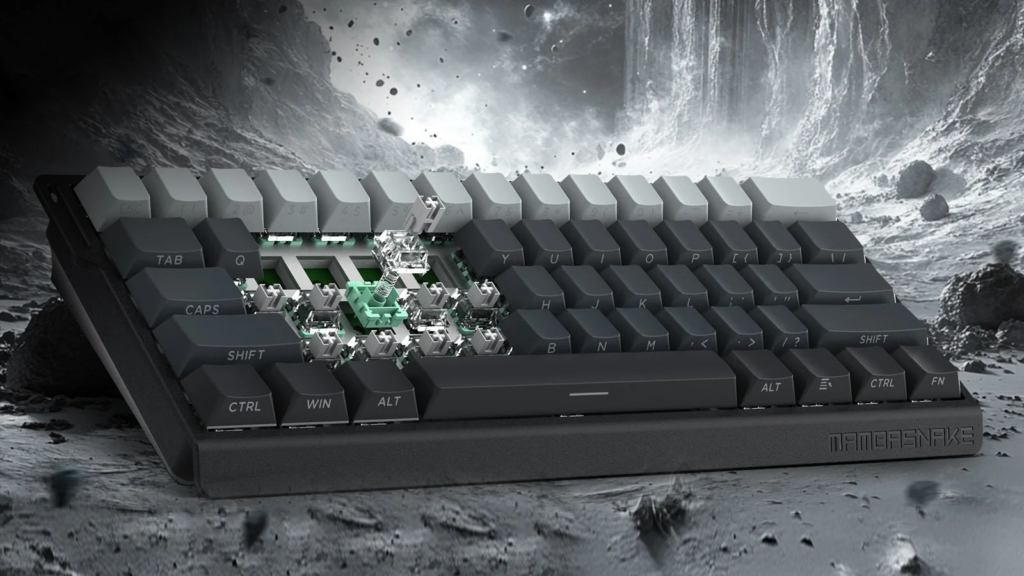
Mechanical keyboards used to be purely about satisfying “clicky” noises. Today, switch technology has gone far beyond simple mechanical springs.
Modern magnetic and optical keyboards feature Rapid Trigger functionality. Instead of waiting for a key to travel all the way back up before you can press it again, the sensor resets the instant your finger lifts even a fraction of a millimeter.
  Traditional Switch: Key must travel all the way up ──> Resets ──> Press again
  Rapid Trigger:      Key lifts 0.1mm ───────────────> Resets ──> Instant re-press
In games where counter-strafing or rapid peeking determines whether you live or die, that tiny mechanical advantage feels incredibly snappy. But if you just play single-player games or write documents for work, a solid, hot-swappable mechanical board with pre-lubed switches will feel like typing on butter without breaking the bank.
5. Wireless Headsets: The End of “Cable Drag”
If you haven’t used a wireless headset in the last couple of years, you might still think they suffer from high latency, terrible battery life, and crackly audio.
In 2026, 2.4GHz wireless technology has made wired headset drag feel totally obsolete.
[ 2.4GHz Wireless USB ] ───> Instant, zero-lag audio + Total freedom to walk around
Look for headsets that offer:
- Low Weight: Anything under 300 grams won’t feel like a heavy helmet after three hours.
- Breathable Fabric Earcups: Memory foam wrapped in fabric keeps your ears much cooler than cheap synthetic leather.
- Simultaneous Bluetooth: Allows you to take phone calls or listen to music on your phone while still hearing your game audio from your PC or console.
6. Controllers: Say Goodbye to “Stick Drift” Forever
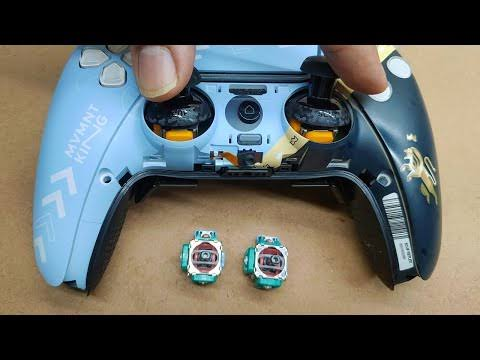
If you play on a console or use a gamepad on PC, there is nothing more infuriating than “stick drift”—when your character or camera slowly drifts on its own because the cheap internal sensors wore down.
  Traditional Potentiometers: Physical contacts rub together ──> Wears down ──> Stick Drift
  Hall-Effect / TMR Sensors:  Uses non-contact magnets ────────> Zero wear ──> Permanent Accuracy
When picking up an upgraded controller in 2026, look specifically for Hall-Effect or TMR (Tunnel Magnetoresistance) magnetic sticks. Because these sensors use magnetic fields instead of physical parts rubbing together, they literally cannot develop traditional stick drift. It’s an instant fix to one of gaming’s oldest headaches.
7. Wired vs. Wireless: Which Side Should You Choose?
The age-old debate between wired stability and wireless freedom is mostly settled today, but there are still trade-offs to keep in mind:
| Feature | Wired Gear | Modern Wireless Gear |
| Price Point | Usually 20% to 40% cheaper | Premium price for internal batteries & receivers |
| Desk Look | Visible cable clutter requiring management | Super clean, minimal, and cable-free |
| Charging | Never requires charging or battery management | Needs docking or plugging in every few days |
| In-Game Latency | Imperceptible (1ms or less) | Imperceptible on 2.4GHz dongles (1-2ms) |
| Portability | Tethered to your desk or console tower | Easy to pack up and use on the go |
If you’re on a tight budget, go wired. You get top-tier performance for less money. If you have a bit of flexibility and hate messy wires, wireless is worth every single penny.
8. Don’t Sleep on Simple Desk Logistics
Sometimes the best upgrades don’t require plugging anything into a USB port.
┌─────────────────────────────────────────────────────────────────────────┐
│                     THE ZERO-LAG DESK CLEANUP                           │
├──────────────────────┬──────────────────────────────────────────────────┤
│ Small Upgrade        │ Why It Improves Your Daily Gameplay              │
├──────────────────────┼──────────────────────────────────────────────────┤
│ XL Stitched Desk Mat │ Gives your mouse endless room; protects desk     │
├──────────────────────┼──────────────────────────────────────────────────┤
│ Under-Desk Cable Tray│ Keeps power strips off the floor & hides clutter │
├──────────────────────┼──────────────────────────────────────────────────┤
│ Monitor Mounting Arm │ Frees up huge amounts of desk real estate        │
└──────────────────────┴──────────────────────────────────────────────────┘
- An XL Desk Mat: Wrapping your keyboard and mouse onto one massive, stitched-edge desk pad gives you a smooth, uniform surface that stops your mouse pad from sliding around mid-clutch.
- A Monitor Arm: Clamping your display to the back of your desk instantly reclaims about 30% of your surface area, letting you push your keyboard back comfortably.
- Velcro Cable Straps: Taking fifteen minutes to tie your cables behind your desk legs makes your entire setup look like a professional studio workspace.
9. How to Upgrade Your Setup Without Going Broke
If you have a limited budget, don’t try to buy everything in one go. Step back, look at your setup, and upgrade in order of personal friction:
┌─────────────────────────────────────────────────────────────────────────┐
│                       THE LEAN UPGRADE PATHWAY                          │
├─────────────────────────────────────────────────────────────────────────┤
│                                                                         │
│   Step 1: Upgrade the thing that physically hurts (Uncomfortable headset)│
│   Step 2: Upgrade your main input device (Slippery mouse or drift pad) │
│   Step 3: Upgrade your visual display (60Hz to 144Hz+ Monitor)          │
│   Step 4: Fix clutter (Cable management & desk pad)                     │
│                                                                         │
└─────────────────────────────────────────────────────────────────────────┘
Start with whatever gives you the biggest headache today. If your ears hurt after an hour, buy a better headset first. If your mouse stutters or feels heavy, grab a lightweight mouse. Build your setup slowly over time so every purchase actually feels meaningful.
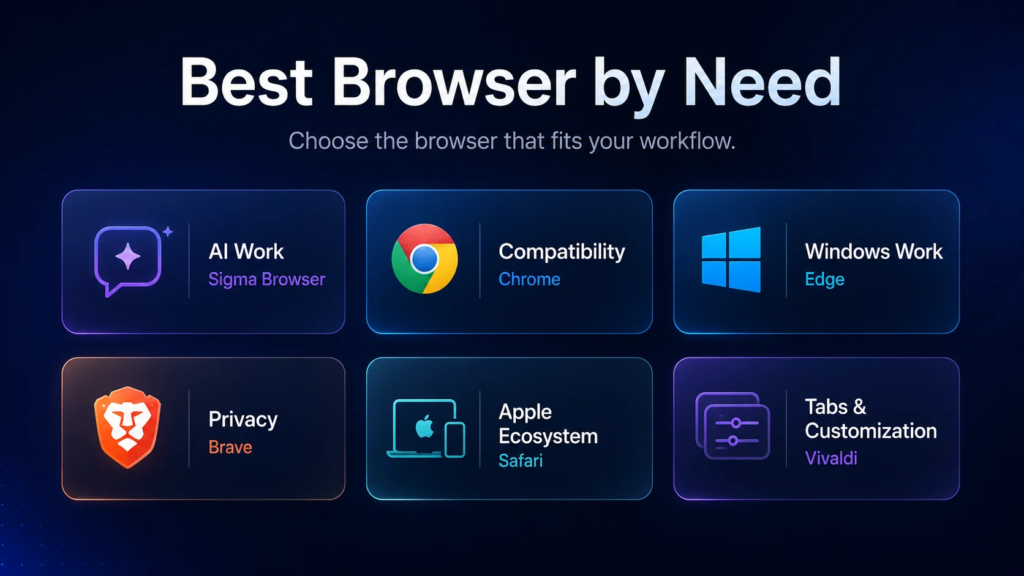
Best Online Privacy & Security Tools in 2026: Top Picks
Let’s be honest about what taking back your digital privacy actually feels like. You read…

Semiconductor Technology Trends 2026: The Future of Chip Innovation
If you are reading this on a phone, a laptop, or even a tablet mounted…

Online Shopping Trends 2026: Smart Ways to Shop for Tech
Let’s be honest about buying electronics online Shopping right now: the sheer volume of options…

Best Coding Software for Developers in 2026: Top Picks
Let’s skip the marketing fluff. You’ve probably opened five different browser tabs trying to figure…
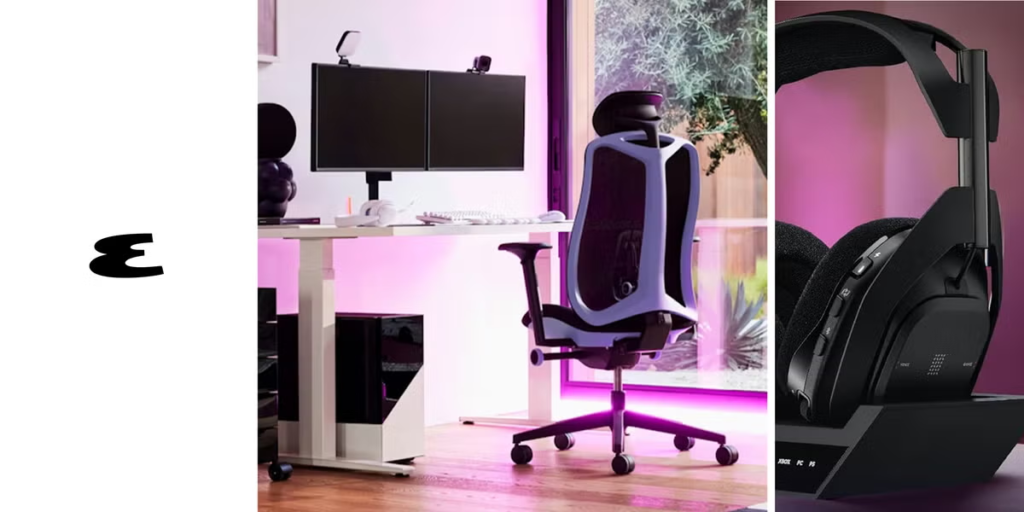
Gaming Accessories 2026: Best Gadgets for a Better Gaming Setup
Let’s be completely honest for a second—building a killer gaming setup can feel like a…
Best Apps & Software in 2026: Top Tools You Need to Know
Let’s be completely real for a second—the app store feels exhausting right now. Software Every…