
Let’s be honest about what taking back your digital privacy actually feels like.
You read an article about data brokers or a massive password leak, get a spike of panic, and decide today’s the day you lock down your digital life. But then you look at the sheer wall of tech jargon—end-to-end encryption, zero-knowledge architecture, DNS leaks, onion routing—and throw your hands up.
It feels like you either have to live in a dark room with a tinfoil hat or accept that half the internet knows what brand of toothpaste you buy.
Here is the good news: you don’t need to turn into a cybersecurity expert to stay safe in 2026.
Online security isn’t an all-or-nothing game. You don’t need a ten-tool security stack that turns logging into your bank account into a five-minute ordeal. You just need a few reliable, easy-to-use tools that do the heavy lifting in the background while you go about your life.
Here is a human, practical guide to what actually works right now.
The “How Much Friction Will This Cause Me?” Reality Check

Before downloading every security app on the market, look at how these tools fit into real life:
| Tool Category | What Problem It Solves | Friction Level | The Real-World Reality Check | Top Recommendation |
|---|---|---|---|---|
| Password Managers | Stops you from reusing passwords across 50 sites | Low (Once set up) | Autofills logins across phone and laptop so you never click “Forgot Password” again. | Bitwarden / 1Password |
| VPNs | Encrypts traffic on public Wi-Fi & hides IP | Very Low | Turn it on when at a coffee shop or hotel; otherwise, let it run quietly. | Proton VPN |
| Private Browsers | Blocks invisible trackers that follow you around | Zero | Feels identical to regular browsing, just without target ads chasing you everywhere. | Firefox / DuckDuckGo |
| Encrypted Messaging | Keeps private texts away from data harvesting | Low | Takes two minutes to install; the only catch is getting your friends to switch over. | Signal |
| Antivirus / Anti-Malware | Catches malicious downloads before they execute | Zero | Lives quietly in your system tray and alerts you only when something is wrong. | Malwarebytes |
The Core 10 Security Tools That Are Actually Worth It
                     YOUR DIGITAL DEFENSE STACK

                             PASSWORD SAFETY
                          (Bitwarden / 1Password)
                                ╱ ╲
                               ╱   ╲
                              ╱     ╲
                             ╱       ╲
                            ╱         ╲
                     CONNECTION ─────── DATA & COMM
                    PROTECTION           PRIVACY
                 (Proton VPN, Firefox) (Signal, Proton Mail)
1. Bitwarden: The Open-Source Password Vault
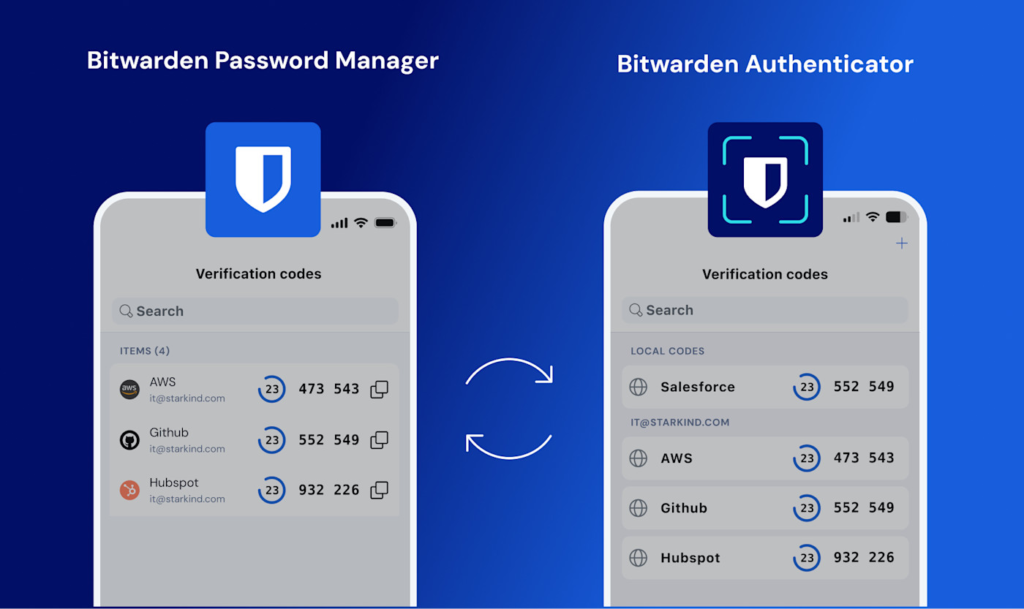
If you are still using a variation of your dog’s name followed by 123 for all your accounts, this is your highest priority. Bitwarden creates, stores, and autofills long, complex passwords for every site you visit.
- The Best Part: Fully featured free tier, open-source code, and works across every phone, tablet, and browser effortlessly.
- The Catch: You have to remember one single, strong master password. If you lose that without setting up emergency recovery, nobody can help you get back in.
2. 1Password: The Polished Family & Team Favorite
If you share logins with family members, partners, or team members, 1Password makes password management feel like second nature.
- The Best Part: “Travel Mode” removes sensitive vaults from your devices temporarily when crossing borders, and its vault-sharing permissions are seamless.
- The Catch: It is a paid service with no permanent free tier.
3. Proton VPN: Honest Connection Protection

Using airport or coffee shop Wi-Fi without a VPN leaves your unencrypted web traffic exposed to anyone listening on the same network. Proton VPN routes your traffic through an encrypted tunnel.
- The Best Part: Strong Swiss privacy laws, a strict “no-logs” policy, and a clean free tier with no bandwidth limits.
- The Catch: Streaming services occasionally block known VPN server addresses, requiring you to toggle location servers.
4. Firefox: The Independent Daily Browser
Unlike browsers owned by massive advertising companies, Mozilla Firefox is built with consumer privacy as a core objective.
- The Best Part: Enhanced Tracking Protection blocks third-party cookies and covert crypto-miners out of the box without breaking websites.
- The Catch: Requires a quick initial run through the settings menu to lock down strict cookie controls.
5. DuckDuckGo: Search Without the Profile
Every time you search for something on standard search engines, that data builds an advertising profile linked to your identity. DuckDuckGo gives you search results without saving your query history.
- The Best Part: Simple, zero-configuration setup available via browser extension or mobile app.
- The Catch: Search results for obscure local services can occasionally be slightly less hyper-targeted than search giants.
6. Signal: Uncompromised Private Messaging
Signal offers end-to-end encrypted messaging, voice calls, and video chats. Not even Signal’s own staff can read your messages or listen to your calls.
- The Best Part: No ads, no affiliate trackers, and zero meta-data logging. It feels just like standard iMessage or WhatsApp.
- The Catch: It relies on your contact list; you have to convince your friends and family to download it too.
7. Proton Mail: End-to-End Encrypted Inbox
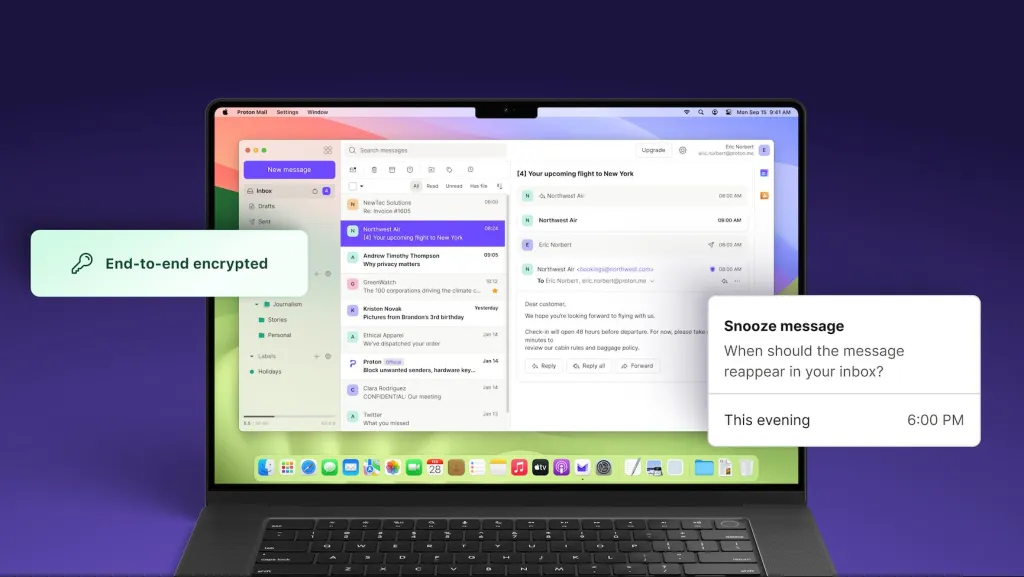
Standard email inboxes are scanned constantly to serve targeted ads. Proton Mail encrypts your emails before they ever reach their servers.
- The Best Part: Zero-access encryption means no one can scan your inbox content for advertising profiles.
- The Catch: Free accounts come with limited inbox storage unless you upgrade.
8. Malwarebytes: The Quiet System Guard
Even cautious users can accidentally click a bad download link. Malwarebytes scans your system for unwanted software, spyware, and adware.
- The Best Part: Extremely lightweight on system resources; catches threats that standard built-in defenses miss.
- The Catch: Premium real-time protection requires a paid subscription after the trial period.
9. Privacy Badger: The Automatic Tracker Blocker

Created by the Electronic Frontier Foundation (EFF), this lightweight browser extension learns which third-party domains are tracking you as you browse and shuts them down.
- The Best Part: It requires zero setup or maintenance. You just install it and let it run in the background.
- The Catch: On rare occasions, its aggressive blocking can break interactive widgets on older websites.
10. NordVPN: Feature-Rich Network Shield
NordVPN offers high-speed encrypted connections along with built-in malicious site filtering and threat protection.
- The Best Part: Fast server speeds globally and useful extra features like Meshnet for linking personal devices securely.
- The Catch: The map-based mobile interface can feel slightly busy compared to minimal VPN apps.
4 Free Habits That Improve Your Security Today
Software handles 80% of the work, but your daily habits handle the remaining 20%:
- Turn on Two-Factor Authentication (2FA): Enable 2FA on every critical account (email, banking, password manager). Use an authenticator app rather than SMS text messages whenever possible.
- Never Click Links in Unexpected Texts or Emails: If your bank sends a text saying your account is locked, don’t tap the link. Open your browser, type the official address yourself, and log in directly.
- Keep Everything Updated: Those annoying system update popups carry critical security patches. Turn on automatic updates for your operating system and browsers.
- Audit Your App Permissions: Once every few months, check your phone settings. Ask yourself why that flashlight app needs access to your contacts or location.
Best Online Privacy & Security Tools in 2026: Top Picks
Let’s be honest about what taking back your digital privacy actually feels like. You read…

Semiconductor Technology Trends 2026: The Future of Chip Innovation
If you are reading this on a phone, a laptop, or even a tablet mounted…

Online Shopping Trends 2026: Smart Ways to Shop for Tech
Let’s be honest about buying electronics online Shopping right now: the sheer volume of options…

Best Coding Software for Developers in 2026: Top Picks
Let’s skip the marketing fluff. You’ve probably opened five different browser tabs trying to figure…

Gaming Accessories 2026: Best Gadgets for a Better Gaming Setup
Let’s be completely honest for a second—building a killer gaming setup can feel like a…
Best Apps & Software in 2026: Top Tools You Need to Know
Let’s be completely real for a second—the app store feels exhausting right now. Software Every…