
Productivity is no longer just about working harder or spending more hours at a desk. In 2026, it is about working smarter, organizing tasks efficiently, reducing repetitive work, and making better use of technology. Whether you are a student, freelancer, content creator, business owner, or professional, the right software can make everyday tasks easier.
From managing projects and writing content to communicating with teams and automating workflows, software tools have become an essential part of modern work. Many applications now include artificial intelligence (AI), cloud collaboration, and automation features that help users save time and stay organized.
However, choosing the right software can be challenging because there are so many options available. This guide explores some of the best software tools to improve productivity in 2026, their key features, and how to select the right ones for your needs.
Why Productivity Software Matters in 2026

Productivity software helps users complete tasks more efficiently by bringing important activities into one place. Instead of switching between multiple applications, users can organize projects, track progress, communicate with teams, and manage information through digital platforms.
Some major benefits include:
- Better time management: Organize tasks, deadlines, and daily schedules.
- Improved collaboration: Share files, communicate, and work with teams remotely.
- Reduced repetitive work: Automate routine activities and simplify workflows.
- Better organization: Keep documents, notes, projects, and information accessible.
- Increased efficiency: Focus more on important tasks instead of administrative work.
The right tools do not need to be complicated. Even a simple task manager or calendar application can make a noticeable difference when used consistently.
Best Software Tools to Improve Productivity

Different software tools support different aspects of productivity. Some are designed for project management, while others focus on communication, writing, automation, or time tracking.
1. Notion – All-in-One Workspace
Notion is a flexible workspace for organizing notes, documents, tasks, databases, and projects. It is useful for individuals who want to manage different types of information in one place.
Users can create personal dashboards, content calendars, project plans, meeting notes, and team knowledge bases. Its customizable pages allow users to build a workspace according to their requirements.
Key features:
- Notes and document management
- Project and task databases
- Team collaboration
- Templates for everyday workflows
- AI-assisted productivity features, depending on the plan
Notion is particularly useful for students, content teams, freelancers, and businesses that need a centralized workspace.
2. Trello – Visual Project Management

Trello is a project management tool that uses boards, lists, and cards to organize work. Its visual interface makes it easy to understand what needs to be done, what is in progress, and what has been completed.
For example, a content team can create a board with columns such as “Content Ideas,” “Writing,” “Editing,” and “Published.” Each card can include deadlines, checklists, attachments, and team members.
Key features:
- Kanban-style boards
- Task assignments and due dates
- Checklists and attachments
- Team collaboration
- Workflow automation options
Trello is a good choice for people who prefer a simple, visual way to manage tasks.
3. Google Workspace – Collaboration and Communication
Google Workspace brings together tools such as Gmail, Google Docs, Google Sheets, Google Slides, and Google Drive. It helps teams create, share, and manage documents while working together online.
Google Docs allows multiple users to edit a document, while Google Sheets supports data organization and calculations. Google Drive provides cloud storage for files and folders.
Key features:
- Cloud-based document creation
- Real-time collaboration
- Email and calendar management
- File sharing and storage
- Online spreadsheets and presentations
Google Workspace is suitable for businesses, students, remote teams, and professionals who regularly work with documents.
4. Slack – Team Communication

Slack is a communication platform designed to help teams exchange messages, share files, and organize conversations. Instead of keeping every discussion in one long email thread, users can create channels for specific projects or departments.
For example, a company may use separate channels for marketing, development, customer support, and announcements.
Key features:
- Channels for organized conversations
- Direct messaging
- File sharing
- Integration with other productivity applications
- Searchable conversation history
Slack can improve team communication, particularly when employees work remotely or across different departments.
5. Microsoft Teams – Meetings and Teamwork
Microsoft Teams combines messaging, online meetings, file sharing, and collaboration features. It is especially useful for organizations that already use Microsoft 365 applications.
Teams can support daily meetings, project discussions, and collaborative work on documents.
Key features:
- Video and audio meetings
- Team chats and channels
- File collaboration
- Integration with Microsoft 365
- Meeting scheduling and sharing
Microsoft Teams is a practical option for organizations that want communication and collaboration tools within a connected environment.
6. Todoist – Personal Task Management
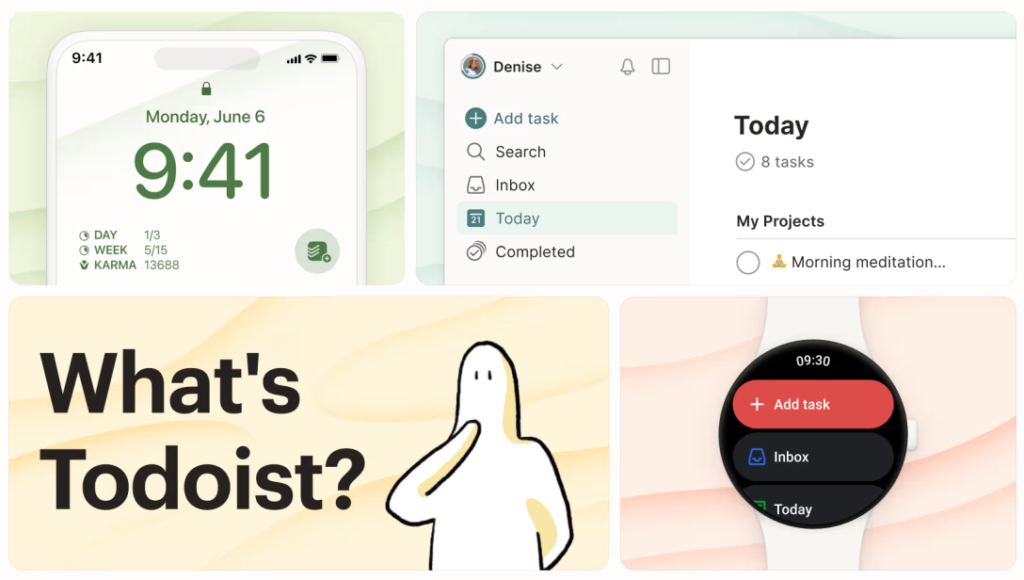
Todoist is a task management application that helps users organize daily responsibilities. It allows users to create tasks, set deadlines, organize projects, and prioritize work.
Users can create simple task lists for personal activities or more structured projects for professional work.
Key features:
- Task creation and organization
- Due dates and recurring tasks
- Priority levels
- Project lists
- Reminders and collaboration options
Todoist is useful for people who want a straightforward system for managing daily tasks without a complicated setup.
7. Grammarly – Writing and Editing Assistance
Grammarly helps users improve written communication by identifying grammar, spelling, punctuation, and clarity issues. It can be useful when writing emails, reports, blog posts, presentations, and professional messages.
Its available AI writing features can also assist with drafting and rewriting, depending on the product and plan.
Key features:
- Grammar and spelling suggestions
- Clarity and tone recommendations
- Writing assistance
- Browser and application integrations
- Support for professional communication
Grammarly can help writers produce clearer content, but users should always review suggestions to ensure that the final text reflects their intended meaning.
8. Zapier – Workflow Automation
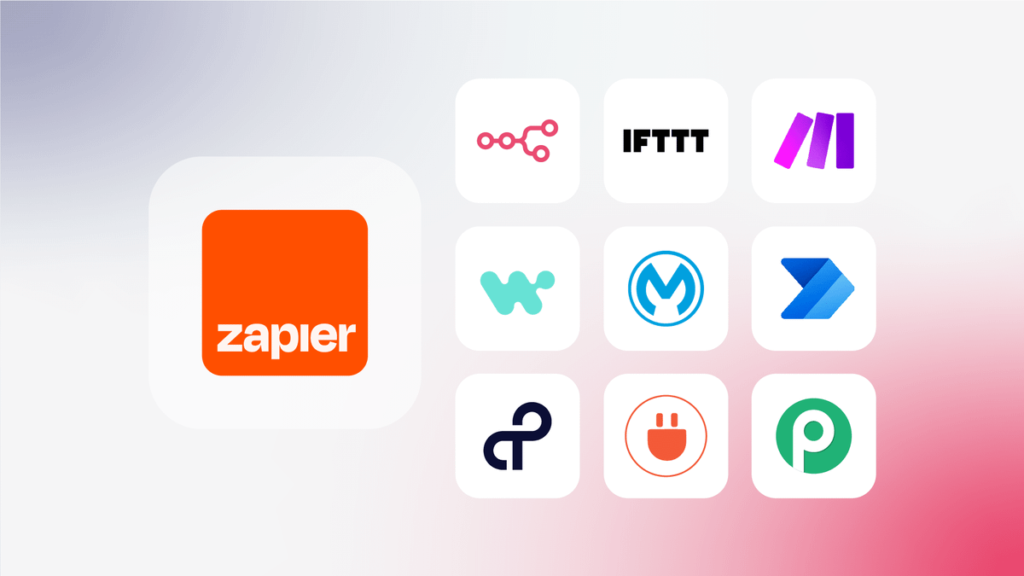
Zapier connects different applications and automates repetitive tasks. Users can create workflows, called Zaps, that trigger actions when specific events occur.
For example, a workflow could save email attachments to cloud storage or send a notification when a new form response is received.
Key features:
- Application integrations
- Trigger-based automation
- Multi-step workflows
- Automated notifications
- Support for repetitive business processes
Zapier is particularly useful for freelancers, marketing teams, and businesses that regularly perform the same administrative tasks.
9. Clockify – Time Tracking
Clockify is a time-tracking tool that helps users understand how they spend their working hours. It can be used to track time spent on projects, tasks, and client work.
Time tracking is useful for identifying activities that take longer than expected and improving future planning.
Key features:
- Time tracking
- Project and task reports
- Timesheets
- Team time management
- Billable-hour tracking
Clockify can be valuable for freelancers, agencies, and teams that need to monitor work hours or manage client projects.
10. AltFTool – Digital Tools for Everyday Tasks

AltFTool is a digital tools platform that brings together resources for productivity, writing, content creation, design, marketing, development, images, PDFs, conversion, and everyday tasks.
Instead of searching for a separate resource for every small activity, users can explore different tools through a centralized platform.
Key features and areas include:
- Digital and productivity tools
- Writing and content creation resources
- Image and PDF-related tools
- Conversion utilities
- Marketing and development resources
AltFTool can be explored by students, creators, marketers, developers, designers, and professionals looking for digital resources to support their work.
Productivity Software Comparison Table
The following table provides a quick overview of popular tools and their primary uses.
| Software | Main Purpose | Best For |
|---|---|---|
| Notion | Notes and workspace management | Individuals and teams |
| Trello | Visual project management | Small teams and projects |
| Google Workspace | Documents and collaboration | Businesses and students |
| Slack | Team communication | Remote teams |
| Microsoft Teams | Meetings and collaboration | Organizations |
| Todoist | Personal task management | Daily planning |
| Grammarly | Writing and editing | Writers and professionals |
| Zapier | Workflow automation | Businesses and marketers |
| Clockify | Time tracking | Freelancers and agencies |
| AltFTool | Digital tools and utilities | Creators and professionals |
The best choice depends on the type of work you perform. A student may need a task manager and note-taking application, while a marketing team may benefit more from collaboration, automation, and content-related tools.
How to Choose the Right Productivity Software
<AsyncImage query=”person comparing productivity software applications on laptop at organized desk” aspectRatio=”16:9″ width=”100%”/>
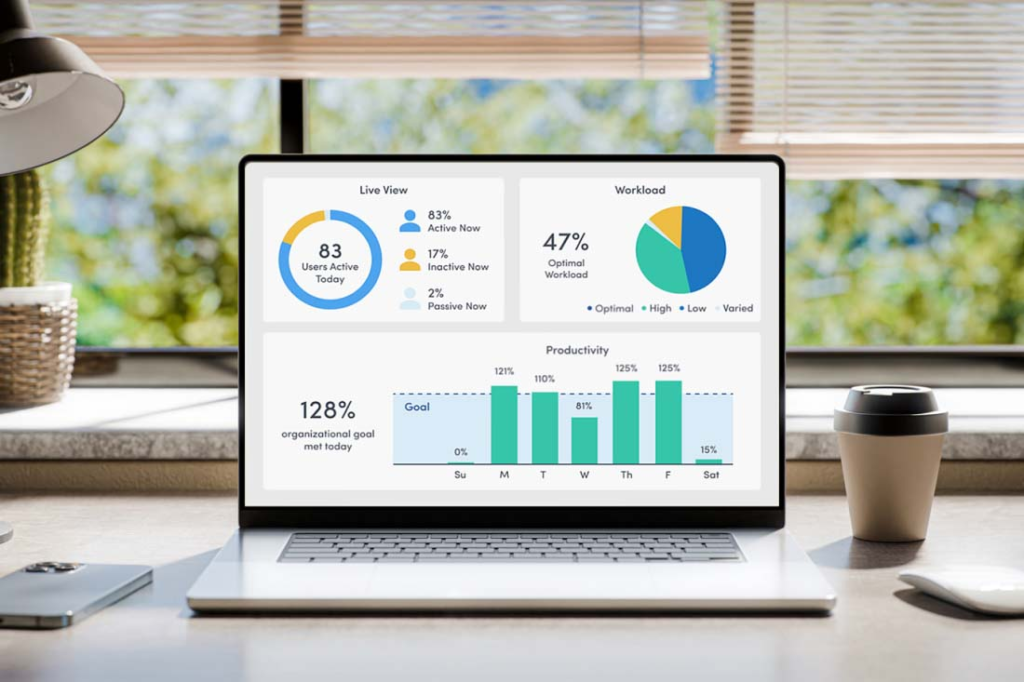
Selecting software should begin with identifying the problem you want to solve. Installing several applications without a clear purpose can make work more complicated instead of improving productivity.
Identify Your Main Requirements
Start by listing the activities that take up most of your time. These might include managing deadlines, writing reports, organizing files, communicating with colleagues, or tracking project progress.
Choose software that directly supports these activities.
Check Ease of Use
A tool with many features may not be the best option if it is difficult to use. Look for an application with a clear interface and a manageable learning curve.
A simple tool that your team uses consistently can be more effective than a complex platform that everyone avoids.
Consider Your Budget

Many productivity applications offer free plans, paid subscriptions, or different pricing levels. Before choosing a paid tool, check whether the free version meets your requirements.
Consider the total cost if multiple team members need access.
Review Integration Options
Software becomes more useful when it connects with applications you already use. For example, a project management platform that integrates with your calendar or communication tool can reduce unnecessary switching.
Evaluate Security and Privacy
If you are using software for business documents or customer information, review its privacy policy, access controls, and security features. Avoid uploading sensitive information to tools unless you understand how that information is handled.
Free vs. Paid Productivity Software
Many productivity tools offer free versions that are suitable for basic tasks. Paid plans may provide additional features, storage, automation, or team controls.
| Feature | Free Software | Paid Software |
|---|---|---|
| Basic task management | Often available | Usually available |
| Advanced automation | May be limited | Often more options |
| Storage | Limited in some tools | Higher limits may apply |
| Team management | Basic features | Advanced controls may be included |
| Customer support | May be limited | Often expanded |
| Best for | Individuals and beginners | Growing teams and businesses |
Before upgrading, consider whether the additional features will genuinely improve your workflow. Paying for unused functionality does not automatically increase productivity.
Practical Tips to Improve Productivity with Software
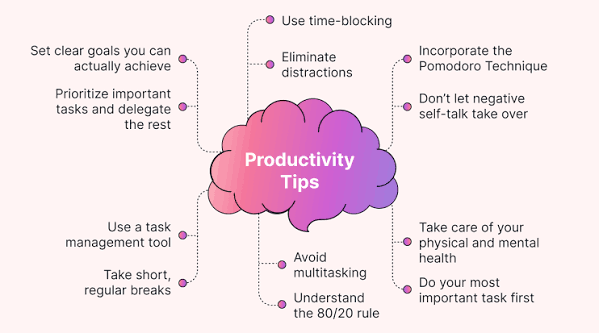
Using software effectively requires more than simply installing an application. A consistent workflow is what makes these tools valuable.
Create a Daily Task Plan
At the beginning of the day, identify your most important tasks. Use a task manager such as Todoist or Trello to organize priorities and deadlines.
Avoid adding too many tasks to a single day. Focus on realistic goals.
Reduce Application Switching
Using too many applications can interrupt concentration. Select a small group of tools that work well together.
For example, a simple setup could include:
- One task manager
- One communication platform
- One document and file storage solution
- One writing or automation tool, if needed
Automate Repetitive Activities
Look for tasks that follow the same pattern every day or week. These may include sending notifications, organizing files, or transferring information between applications.
Automation tools can reduce manual effort, but workflows should be checked regularly to ensure they are functioning correctly.
Use AI Features Carefully

AI-powered software can help with brainstorming, summarizing, drafting, and organizing information. However, generated content may contain errors or require editing.
Always review important information before publishing it, sending it to clients, or using it for business decisions.
Review Your Workflow Regularly
At the end of each week, evaluate which tools are helping and which are creating unnecessary work. Remove redundant applications and adjust your process when needed.
Common Mistakes to Avoid
Productivity software is most effective when it supports a clear working process. Some common mistakes include:
- Using too many tools: Multiple applications can create confusion and duplicate information.
- Ignoring the learning process: Take time to understand the features that matter most.
- Overcomplicating task lists: Keep plans clear and achievable.
- Relying completely on automation: Review automated actions and their results.
- Choosing software only because it is popular: Select tools based on your actual requirements.
- Ignoring data security: Understand how your files and information are stored.
Future of Productivity Software in 2026
Productivity software continues to evolve as AI, automation, and cloud-based collaboration become more widely adopted.
AI-assisted workflows are helping users draft content, summarize information, organize tasks, and support decision-making. Automation is also making it easier to connect applications and reduce repetitive activities.
Another important development is the growing focus on integrated workspaces. Instead of using separate platforms for every activity, users increasingly look for software that connects multiple parts of their workflow.
However, technology alone cannot guarantee productivity. Clear goals, good planning, and consistent habits remain essential.

Best Software Tools to Improve Productivity in 2026
Productivity is no longer just about working harder or spending more hours at a desk….

Online Security Tips: Protect Your Devices and Digital Privacy
The internet has made communication, shopping, banking, education, entertainment, and business activities easier than ever….

How Technology Is Changing Everyday Life in 2026
Technology has become an essential part of everyday life. From using smartphones to communicate with…

Best Software 2026: Top Tools for Work, Business & Productivity
Software has become an essential part of modern life, helping people work faster, manage businesses,…

Smart Home Technology 2026: Best Devices for a Smarter Home
Smart home technology has become a practical part of everyday life. What once seemed like…

Best Cloud Software for Businesses and Teams in 2026
Think about how much of your work happens online today. Files are shared through links,…