
Software has become an essential part of modern life, helping people work faster, manage businesses, create content, communicate with teams, and complete everyday tasks more efficiently. From project management applications and accounting programs to creative software and AI-powered assistants, the right digital tools can make a significant difference in how people work.
In 2026, choosing the best software is not simply about finding the most popular application. It is about identifying tools that match your goals, budget, workflow, and technical requirements. Some software solutions help individuals stay organized, while others support large teams with collaboration, automation, data analysis, and business management.
Whether you are a student, freelancer, content creator, developer, entrepreneur, or business professional, this guide explores the main software categories, their benefits, and the important factors to consider before choosing a solution.
What Is Software?
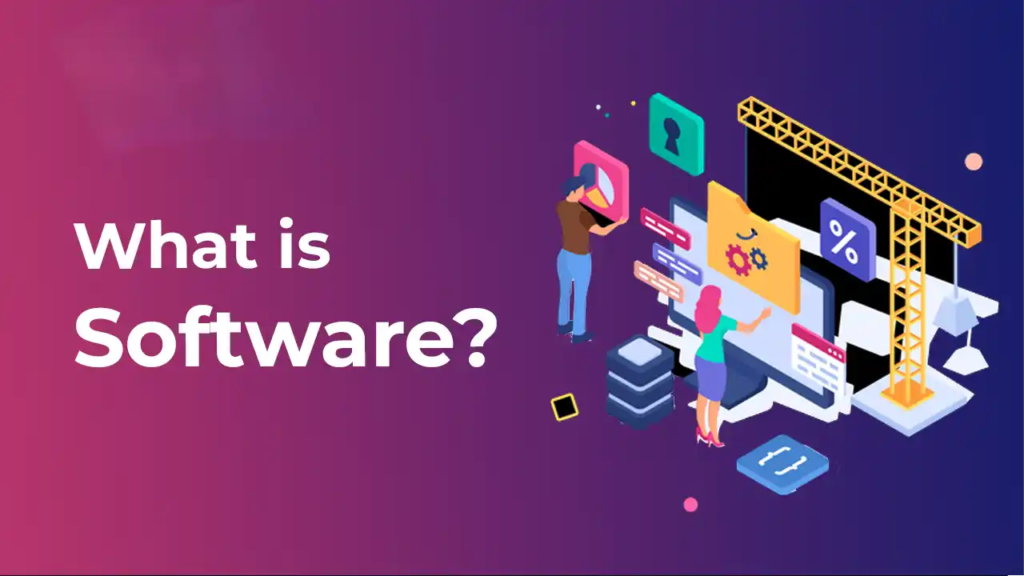
Software is a collection of programs and instructions that tell a computer, smartphone, or other digital device how to perform specific tasks. Unlike hardware, which refers to physical components, software provides the functions and features people use to complete their work.
For example, word-processing software helps create documents, accounting software manages financial records, and design software supports visual creativity. Modern applications can also connect with cloud services, automate repetitive processes, and use artificial intelligence to support more complex tasks.
Software generally falls into several categories, depending on its purpose and intended users.
| Software Category | Primary Purpose | Common Uses |
|---|---|---|
| Productivity Software | Organize work and save time | Tasks, notes, calendars |
| Business Software | Manage business operations | Accounting, sales, inventory |
| Creative Software | Produce digital content | Graphic design, video, audio |
| Development Software | Build and maintain applications | Coding, testing, debugging |
| Security Software | Protect devices and information | Antivirus, password management |
| Communication Software | Connect people and teams | Messaging, meetings, email |
| AI Software | Assist with digital tasks | Research, writing, automation |
| Education Software | Support learning | Online classes, practice, assessments |
Understanding these categories makes it easier to narrow down the options and select software that solves a specific problem.
Best Software Categories to Explore in 2026
There is no single software solution that works best for everyone. The ideal choice depends on what you want to accomplish and how you prefer to work.
1. Productivity Software for Everyday Work
Productivity software helps users organize tasks, manage schedules, take notes, track progress, and handle responsibilities more effectively. These tools are useful for individuals as well as teams working on multiple projects.
Common features include task lists, reminders, calendars, document sharing, progress tracking, and collaboration options.
Important benefits include:
- Keeping tasks and deadlines organized.
- Reducing time spent searching for information.
- Tracking project progress.
- Improving collaboration.
- Creating more consistent work routines.
For example, a freelancer can use a task manager to organize client projects, while a student can use planning software to track assignments and examination dates.
The best productivity tool is one that fits naturally into your routine rather than adding unnecessary steps.
2. Business Software for Growing Companies
Business software supports essential operations such as finance, sales, customer relationships, inventory, employee management, and reporting.
Small businesses may need only a few basic applications, while larger organizations may require integrated systems that connect multiple departments.
| Business Need | Suitable Software Type | Main Benefit |
|---|---|---|
| Financial records | Accounting software | Organizes income and expenses |
| Customer management | CRM software | Tracks leads and customer interactions |
| Inventory | Inventory management software | Monitors stock levels |
| Sales | Sales management software | Supports sales pipelines |
| Human resources | HR software | Organizes employee information |
| Reporting | Business intelligence software | Helps analyze performance |
| Project delivery | Project management software | Tracks tasks and milestones |
Before investing in business software, consider how it will fit with your existing systems. A tool that integrates with your current applications may be more useful than one with many features but limited compatibility.
3. AI Software for Smarter Workflows
Artificial intelligence has become an important part of modern software. AI-powered applications can assist with writing, summarization, research, brainstorming, data analysis, coding, and routine workflow tasks.
These tools can be particularly useful when a task involves large amounts of information or repetitive work.
For example, a marketing professional might use AI to develop content ideas, while a developer could use an AI coding assistant to understand unfamiliar code or identify potential errors.
However, AI-generated results should not automatically be treated as accurate. Important information should be reviewed, especially when it affects financial, legal, medical, or business decisions.
Pointers for choosing AI software:
- Check which tasks the software can actually perform.
- Review data privacy and storage practices.
- Understand free-plan limitations and paid features.
- Verify important outputs before using them.
- Check whether it integrates with your existing workflow.
AI software works best when it supports human judgment rather than replacing necessary review and decision-making.
4. Graphic Design and Creative Software

Creative software helps users produce visual content, edit photographs, design presentations, create illustrations, and develop digital media.
It is useful for designers, social media managers, marketers, content creators, educators, and businesses that need professional-looking materials.
Different creative applications serve different purposes. Some focus on image editing, others specialize in vector graphics, video production, animation, or interface design.
When comparing creative software, look at its editing features, supported file formats, export quality, learning curve, and compatibility with your device.
Beginners may prefer an application with templates and a simple interface. Experienced designers may need more advanced controls and support for professional workflows.
5. Software for Programming and Development
Development software provides the tools required to create, test, debug, and maintain websites, applications, scripts, and other digital products.
Common options include code editors, integrated development environments, version-control systems, database tools, API testing utilities, and debugging applications.
| Development Tool Type | What It Does | Who May Need It |
|---|---|---|
| Code Editor | Writes and edits source code | Developers and learners |
| IDE | Combines coding and development features | Application developers |
| Version Control | Tracks changes to code | Individual and team developers |
| API Testing Tool | Tests application interfaces | Backend and integration developers |
| Database Tool | Manages and queries data | Data and software teams |
| Debugging Tool | Helps identify code problems | Developers and testers |
When selecting development software, consider programming-language support, extensions, performance, collaboration features, and the quality of its documentation.
Students should begin with tools that match their learning goals instead of installing many applications before understanding their purpose.
6. Communication and Collaboration Software
Communication software helps people exchange information, hold meetings, share files, and coordinate projects. It is especially important for remote teams, distributed businesses, freelancers, and organizations working across different locations.
Useful features may include video conferencing, instant messaging, shared documents, team channels, screen sharing, and meeting scheduling.
The right solution depends on team size, communication habits, security requirements, and budget.
A small team may need only messaging and video meetings, while a larger organization may require administrative controls, centralized file management, and integration with project management systems.
Free vs. Paid Software: Which Should You Choose?
One of the biggest decisions when choosing software is whether to use a free tool or pay for a premium version.
Free software can be sufficient for basic tasks, learning, personal projects, and small workloads. Paid plans may provide additional storage, advanced features, technical support, collaboration options, or higher usage limits.
| Factor | Free Software | Paid Software |
|---|---|---|
| Initial Cost | Usually no subscription fee | Requires payment |
| Features | May have basic functionality | May include advanced options |
| Usage Limits | Can include restrictions | Often offers higher limits |
| Support | May be limited | May include priority support |
| Team Management | Depends on the product | May offer advanced controls |
| Best For | Beginners and simple tasks | Specialized or demanding workflows |
A free plan is not automatically inferior, and a paid subscription is not always necessary.
Important tip: Test the free version when available. Upgrade only when a specific limitation affects your work or the paid features provide enough value to justify the cost.
How to Choose the Best Software for Your Needs
With so many applications available, comparing every option can become overwhelming. A simple evaluation process can help you make a more confident decision.
Define Your Main Goal
Start by identifying the task you need to complete. Are you trying to manage projects, edit videos, create documents, organize customer information, or automate repetitive work?
A clear goal prevents you from choosing software based only on popularity or advertising.
Compare Essential Features
Create a shortlist of the features you genuinely need. Avoid paying for advanced options that you are unlikely to use.
For example, a small business may need invoicing and expense tracking without requiring a complex enterprise resource planning system.
Check Compatibility
Make sure the software works with your operating system, browser, devices, file formats, and existing applications.
Compatibility is especially important when teams need to share files or collaborate across different platforms.
Review Security and Privacy
Before uploading files or entering personal information, review the provider’s privacy policy, security features, permissions, and data-handling practices.
For business use, consider access controls, backup options, data retention, and whether the software meets your organization’s requirements.
Test Usability
A powerful application can still be a poor choice if it is difficult to use. Explore a demo, trial, or free plan to see whether the interface fits your workflow.
A practical selection checklist includes:
- Clear pricing and subscription terms.
- Features that match your needs.
- Reliable performance.
- Suitable privacy and security controls.
- Compatibility with your devices.
- Helpful documentation or support.
- A reasonable learning curve.
Common Software Selection Mistakes to Avoid

Choosing software without evaluating your actual needs can lead to unnecessary expenses and complicated workflows.
Choosing Popularity Over Suitability
A widely used application may not be the best fit for your particular task. Compare functionality and compatibility rather than relying on popularity alone.
Paying for Unused Features
Premium plans often include advanced capabilities, but not every user needs them. Start with essential features and upgrade when necessary.
Ignoring Data Portability
Before committing to a platform, check whether you can export your documents, project information, or other important data if you later change providers.
Overlooking Privacy
Do not upload confidential documents or sensitive information without understanding how the application handles that data.
Using Too Many Applications
Having separate tools for every small task can create fragmented information and duplicate work. Whenever possible, choose a manageable set of applications that work well together.
How Software Can Improve Productivity
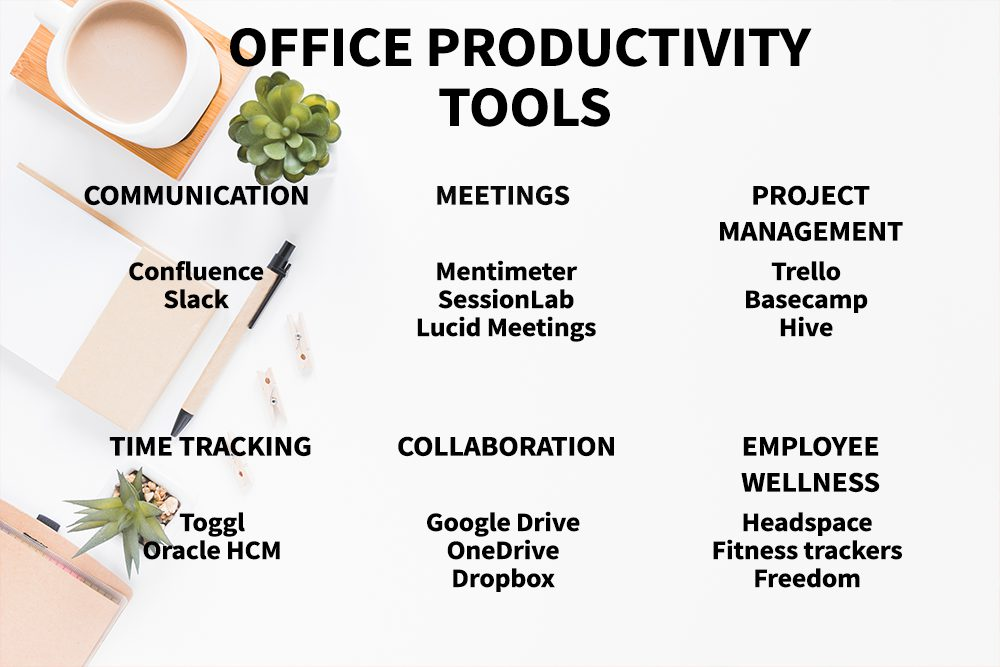
Software delivers the greatest value when it simplifies a process, reduces repetitive work, or improves the quality of an outcome.
Consider a business that manually tracks customer inquiries in spreadsheets. A suitable customer relationship management system may help organize contacts, record interactions, and make follow-ups easier.
Similarly, a content creator can combine writing software, design applications, and a content calendar to manage production from planning to publication.
A practical improvement process looks like this:
Identify the problem → Select a suitable tool → Set up the workflow → Test the results → Improve the process
Measure the results where possible. Time saved, fewer errors, clearer communication, and improved consistency are useful indicators of whether the software is helping.
The Future of Software in 2026
Software is continuing to evolve through AI integration, cloud-based services, automation, improved collaboration, and stronger security capabilities.
Many applications are becoming more connected, allowing users to move information between tools and reduce manual data entry. AI features can also help people interact with software through natural-language instructions and intelligent assistance.
At the same time, organizations must pay attention to privacy, security, accessibility, and the reliability of automated outputs.
The most useful software will not necessarily be the application with the largest number of features. It will be the one that solves a meaningful problem, fits the user’s workflow, and provides dependable value.
Best Software 2026: Top Tools for Work, Business & Productivity
Software has become an essential part of modern life, helping people work faster, manage businesses,…
Smart Home Technology 2026: Best Devices for a Smarter Home
Smart home technology has become a practical part of everyday life. What once seemed like…

Best Cloud Software for Businesses and Teams in 2026
Think about how much of your work happens online today. Files are shared through links,…
Best Online Privacy & Security Tools in 2026: Top Picks
Let’s be honest about what taking back your digital privacy actually feels like. You read…

Semiconductor Technology Trends 2026: The Future of Chip Innovation
If you are reading this on a phone, a laptop, or even a tablet mounted…

Online Shopping Trends 2026: Smart Ways to Shop for Tech
Let’s be honest about buying electronics online Shopping right now: the sheer volume of options…