
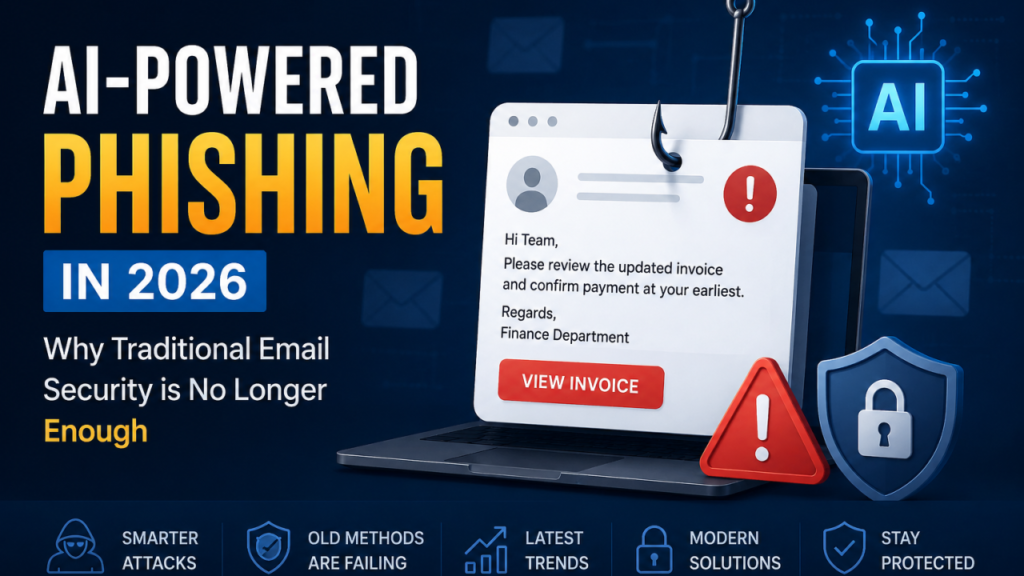
Let’s take a step back and look at the actual reality of how we use the internet today. If you think about your digital footprint, your email address is not just a place where you receive newsletters or receipts for online shopping. Your email account is the literal master key to your entire digital life. It is the core hub connected to your online banking applications, your social media profiles, your work documents, and your medical records. If an unauthorized user manages to break through the front door of your inbox, they suddenly gain the power to reset your passwords across almost every single website you use.
In 2026, the methods used by cybercriminals have advanced far beyond the obvious, poorly written scam messages of the past. Today’s digital threats are incredibly polished, hyper-targeted, and designed to exploit standard human psychology. A malicious message can easily masquerade as an urgent notification from your bank, a shipping update for a package you actually ordered, or an attached invoice from a colleague at work.
The good news is that securing your identity does not require a degree in computer science or expensive enterprise-grade software. True digital safety comes down to understanding how these modern traps work and integrating a few instinctive security habits into your daily routine. Let’s break down the exact strategies you need to safeguard your communication channels without overcomplicating your life.
The Architecture of an Unbreakable Password Strategy
We have all been told a thousand times to create complex passwords, but the traditional advice of mixing random numbers and symbols often results in combinations that are impossible to remember. This leads to the incredibly dangerous habit of reusing passwords across multiple personal and professional accounts. Cybercriminals frequently use a technique known as credential stuffing, where they take a list of leaked passwords from a past data breach at a minor website and use automated software to try those exact same credentials on major email platforms and banking portals.
To combat this, you need to shift your approach toward long, unique passphrases. A passphrase combines several random, unrelated words into a long string (for example, PurpleMountainLaptopCoffee!). Because length is the single most critical factor in defeating modern automated password-cracking tools, a twenty-character passphrase made of simple words is vastly more secure than an eight-character password filled with confusing symbols that you constantly have to write down on a sticky note.
However, because you cannot realistically remember dozens of unique twenty-character passphrases, using a dedicated, encrypted password manager is an absolute necessity. A password manager safely stores all of your complex credentials behind a single master key, allowing you to quickly log in to your accounts while ensuring that a security breach at one single website never compromises your primary inbox.
Implementing Multi-Layered Authentication Systems
Even if you construct the most complex password on earth, there is still a baseline risk that it could be leaked in a massive corporate data breach. This is exactly why two-factor authentication (2FA), also known as multi-factor verification, is the single most powerful tool at your disposal to protect your inbox from unauthorized access.
[Login Attempt] ──► Enter Password ──► Trigger 2FA Request ──► Approve via App ──► Access Granted
                                                                     │
                                                       (If Attacker has Password)
                                                                     │
                                                                     ▼
[Login Attempt] ──► Enter Password ──► Trigger 2FA Request ──► Access Blocked (No Device Token)
When you activate this feature, your email provider will require two completely distinct forms of identity before granting access: something you know (your password) and something you physically hold (your smartphone or a hardware security key).
While receiving a one-time SMS verification code via text message is significantly better than having no protection at all, text-based verification is highly vulnerable to a sophisticated hacking technique called SIM-swapping, where a scammer tricks your cellular provider into routing your phone number to a new device. For maximum safety, you should utilize an authenticator application generated directly on your physical smartphone, or leverage biometric security protocols like face recognition and fingerprint scanning to approve new login attempts securely.
Decoding the Psychology of Modern Phishing Attacks
The vast majority of data breaches do not occur because a hacker manually cracked an encryption firewall through raw coding power. Instead, they happen because an everyday user was successfully manipulated into clicking an architectural trap. This style of attack is known as social engineering, and its primary weapon is the phishing email.
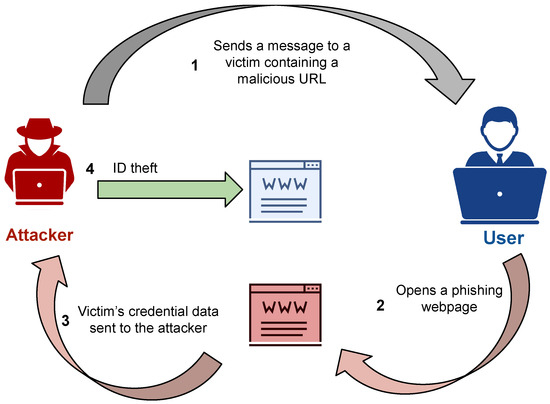
The core engine driving every successful phishing campaign is the intentional creation of a false sense of extreme urgency. The message is deliberately structured to induce sudden panic, anxiety, or curiosity, forcing you to act impulsively before your critical thinking skills can kick in.
You might receive a frantic alert claiming that your primary bank account has been locked due to suspicious activity, that a massive unauthorized charge was just placed on your credit card, or that you will face immediate legal action if you do not update your tax forms within the next two hours. The moment you let fear dictate your actions, you are significantly more likely to overlook the subtle warning signs that expose a fraudulent message.
Spotting Visual Discrepancies in Fraudulent Messages
To protect yourself from these sophisticated traps, you must train your eye to look past the official logos and polished corporate formatting of an incoming message and inspect the actual sender domain metadata.
An email might prominently display a company’s official branding in the body text, but if you tap on the sender’s name to reveal the full underlying address, you will often find a completely unrelated domain name or a deceptive look-alike URL (such as support@security-paypal-login.com instead of the genuine support@paypal.com). Cybercriminals frequently register domains that use tiny misspellings or altered characters that look visually identical to legitimate brands at a quick glance.
  [Displayed Fake Name]  ──►  "Official Bank Support"
  [Actual Hidden Email]  ──►  security-alert-update-verify@net-login-portal-2026.net
  [Link Hover Destination] ──► http://fake-bank-login-interface.ru/capture
Before you ever click on a link embedded inside an unexpected notification, use the hover technique. If you are on a desktop computer, rest your mouse cursor over the link without clicking it to preview the exact web destination in the corner of your screen. If you are using a mobile device, press and hold the link to display the full URL window. If the destination address looks convoluted, strange, or fails to precisely match the official main website of the organization in question, treat it as a malicious trap and delete the message immediately.
The Hidden Dangers of Malicious File Attachments
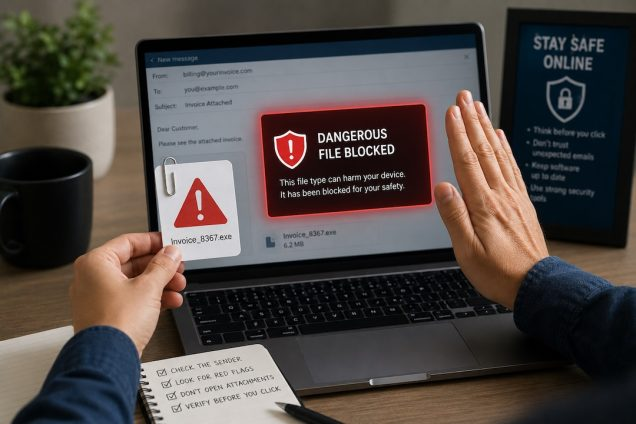
We often view email as a purely text-based communication format, but the file attachment mechanism is one of the most common delivery vehicles for aggressive malware, spyware, and devastating ransomware operations.
A malicious file does not always arrive with a glaringly obvious or dangerous file extension. Attackers are highly skilled at disguising harmful execution files as standard business documents, masking them with familiar names like Invoice_2026_Final.pdf or Shipping_Manifest.docx. In many cases, these files utilize double extensions or hidden scripts that activate the exact moment you double-click the document.
As an absolute rule of digital survival, you should never download or open unexpected file attachments, even if the email appears to originate from a contact you recognize, such as a coworker, a family member, or a local business partner. It is incredibly easy for an attacker to compromise a legitimate user’s account and blast out malicious documents to their entire address book to exploit their existing network of trust. If a received document feels out of character, unexpected, or lacks clear context, send a separate text message or make a quick phone call to the sender to verify that they actually sent the file before you touch it.
Keeping Your Digital Shield Patched and Updated
Many users view software updates as an annoying disruption to their daily workflow, constantly hitting the “Remind Me Later” button to delay installing updates for weeks at a time. This specific delay is one of the biggest vulnerabilities that cybercriminals actively look to exploit.
Software developers are trapped in a continuous, high-stakes game of cat-and-mouse with global hacking networks. When a new security flaw or vulnerability is discovered within an operating system, an email application, or a web browser, developers work rapidly to write a line of defensive code to fix the hole. This fix is delivered directly to your device in the form of a security patch.
[Vulnerability Discovered] ──► Hackers Deploy Exploit ──► Developers Release Patch
                                                                   │
                                                      (User Action Required)
                                                                   │
                                        ┌──────────────────────────┴──────────────────────────┐
                                        ▼                                                     ▼
                            [Delaying the Update]                                 [Auto-Updates Enabled]
                        Inbox Remains Exposed to Threat                        Vulnerability Fixed Instantly
The moment a security patch is released publicly, hackers analyze the update to understand exactly how the old vulnerability worked, and they immediately launch automated scans across the entire internet to locate devices that have not yet installed the update. By postponing your system updates, you are leaving your digital front door completely unlocked against known threats. To eliminate this risk entirely, navigate into your device settings and ensure that automatic software updates are fully enabled for your operating system, your web browsers, and all dedicated communication applications.
Navigating Public Networks and Data Encryption Safely
The convenience of working from a local coffee shop, an airport lounge, or a hotel lobby often requires connecting to a open public Wi-Fi network. While these free access points are incredibly useful for staying productive while traveling, they present massive, systemic risks to your personal data privacy.
When you connect to an open, unencrypted network, your digital traffic is broadcast through the air to anyone else connected to that same local network. A moderately skilled attacker sitting three tables away can use free, easily accessible network sniffing software to perform a Man-in-the-Middle (MitM) attack. This allows them to intercept the data flowing out of your laptop or phone, potentially capturing your login credentials, personal messages, and session tokens as you log in to your email account.
If you must access your email or handle any sensitive personal accounts while away from your secure home network, you should route your internet connection through a reputable, encrypted Virtual Private Network (VPN). A VPN builds an impenetrable, fully encrypted digital tunnel around all the data leaving your device, rendering your web activity completely unreadable to anyone else sharing the public network. If a trusted VPN is unavailable, a safer alternative is to completely disable your device’s Wi-Fi and use your smartphone’s cellular data hotspot to connect your laptop to the internet.
Understanding Critical Digital Vulnerabilities
| Threat Archetype | Core Attack Vector | Primary Defensive Strategy |
| Phishing Scams | Fabricated emotional urgency and deceptive sender fields. | Pause, inspect the underlying domain metadata, and hover over links. |
| Credential Stuffing | Utilizing leaked passwords from old breaches to access new accounts. | Deploy a trusted password manager and use unique passphrases. |
| Malware Attachments | Hidden executable scripts masked as routine business files. | Never open unexpected files without separate verbal verification. |
| Network Interception | Snooping on unencrypted data traffic across public networks. | Always route public data through a secure, encrypted VPN network. |
The Blueprint for Digital Resilience: Cybercriminals don’t break in by bypassing highly complex encryption codes—they break in by exploiting basic human habits. Elevating your baseline security awareness by just a small margin will make you a highly frustrating target for scammers, causing them to move on to easier options.