
Running a business today involves much more than selling a product or providing a service. You have to manage customers, track money, organize projects, communicate with your team, market your business, and keep important information safe. Doing all of that manually can quickly become overwhelming.
That is where business software comes in.
The right software can take care of repetitive work, keep your team organized, and give you a clearer picture of what is happening inside the business. In 2026, AI, automation, cloud collaboration, CRM, analytics, and integrated business platforms are becoming increasingly important parts of modern software stacks. Google Cloud, for example, expects AI agents to increasingly handle multi-step business workflows, while emphasizing the importance of human oversight and employee training.
But there is a catch: more software does not automatically mean a better business. If your team has ten different tools that do not work well together, you may spend more time managing software than actually getting work done.
This guide explains the main types of business software, what they are useful for, and how to choose tools that genuinely make your day easier.
What Is Business Software?
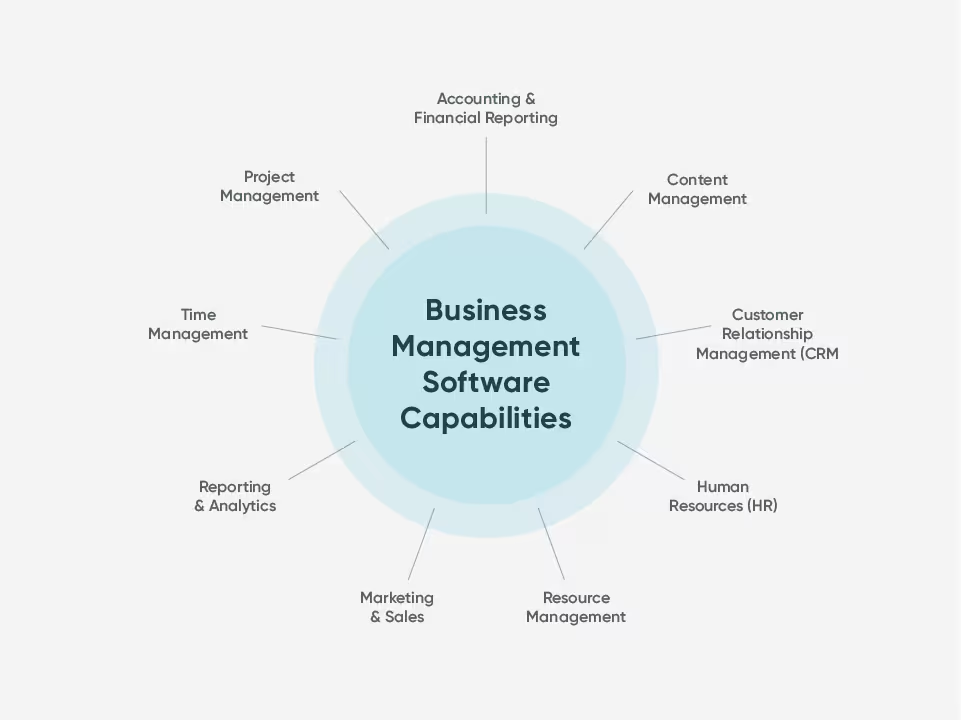
Business software refers to digital applications designed to help companies manage their daily operations, employees, customers, finances, projects, sales, marketing, and other business activities.
Think about the tasks you repeat every week. You might send invoices, reply to customers, assign tasks, schedule meetings, create reports, store documents, or follow up with leads.
Business software helps turn many of these activities into organized and repeatable workflows.
For a small company, even a few well-chosen tools can make a noticeable difference. For larger organizations, software can connect departments and provide a shared view of important business information.
Why Businesses Need the Right Software in 2026
Business software is no longer just about replacing paperwork. Modern platforms increasingly help companies automate processes, understand data, collaborate remotely, and make faster decisions.
Current software marketplaces organize business tools across areas such as accounting, CRM, project management, marketing, security, HR, analytics, collaboration, and AI.
The key word here is right.
A tool can have hundreds of features and still be completely wrong for your company. If your employees find it confusing or it does not fit your existing workflow, you may end up paying for features nobody uses.
The Main Types of Business Software
Before choosing specific products, it helps to understand the major categories.
| Software Type | What It Helps With | Best For |
|---|---|---|
| CRM Software | Customers, leads, sales | Sales teams |
| Project Management | Tasks, deadlines, projects | Teams and agencies |
| Accounting Software | Expenses, invoices, finances | Businesses of all sizes |
| Communication Tools | Chat, meetings, collaboration | Remote and office teams |
| Marketing Software | Campaigns, email, social media | Marketing teams |
| HR Software | Employees, payroll, onboarding | Growing companies |
| AI Software | Content, analysis, automation | Almost every department |
| Analytics Software | Reports and business insights | Managers and decision-makers |
| Cybersecurity Software | Data and account protection | Every modern business |
| Cloud Storage | Files and document sharing | Teams and businesses |
You do not need every category from day one. Start with the areas where your business is losing the most time, money, or productivity.
CRM Software for Managing Customers
If your business depends on customers and sales, CRM software can quickly become one of your most valuable tools.
A CRM helps keep customer information, leads, conversations, sales opportunities, and follow-ups in one place. Instead of searching through old emails or spreadsheets to remember what happened with a customer, your team can see the information from a shared system.
Modern CRM platforms are also becoming more AI-driven. Industry analysis for 2026 highlights a shift toward software that can not only store information but also observe workflows, update records, and trigger next actions.
For a growing business, that can mean fewer missed follow-ups and a more organized sales process.
Project Management Software for Keeping Work Moving
Ever had a project where everyone was asking, “Who is handling this?”
That is exactly the kind of situation project management software can help prevent.
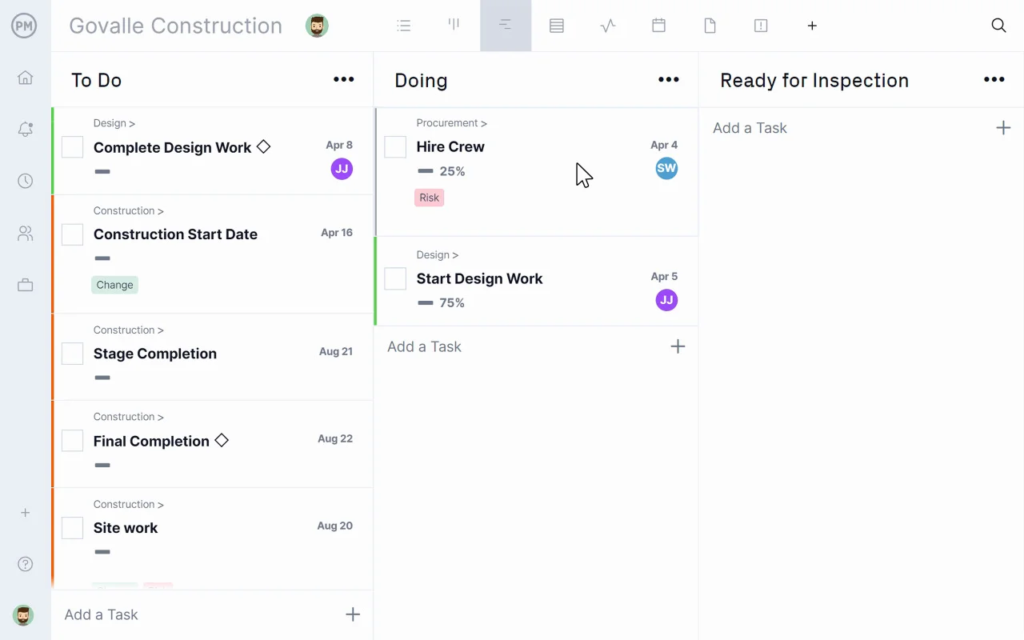
These tools let teams create tasks, assign responsibilities, set deadlines, share files, and track progress. Instead of keeping project information scattered across emails and chat messages, everyone gets a shared workspace.
Project management software is especially helpful for marketing agencies, software companies, creative teams, consultants, and businesses managing multiple client projects.
For small teams, do not overcomplicate things. A simple task board may be more useful than a platform with dozens of advanced features.
Accounting and Finance Software
Money is one area where organization really matters.
Accounting software can help businesses manage invoices, expenses, payments, financial records, taxes, and reports. It reduces the need to manually organize every transaction and makes it easier to understand where money is going.
Modern finance software is also moving toward greater automation. AI can assist with tasks such as invoice processing, forecasting, anomaly detection, and other repetitive financial workflows, although businesses still need appropriate controls and human oversight for important financial decisions.
For a small business owner, the biggest benefit may simply be knowing that your financial information is organized and easy to find when you need it.
Communication and Collaboration Software
Modern businesses often have employees working from different locations, so communication software has become essential.
Team chat, video meetings, shared documents, calendars, and collaborative workspaces allow people to work together without being in the same office.
The goal is not to create another place where employees have to check messages all day. Good communication software should make collaboration clearer, not noisier.
Try to establish simple rules around which tool is used for urgent messages, project discussions, meetings, and documents.
Marketing Software
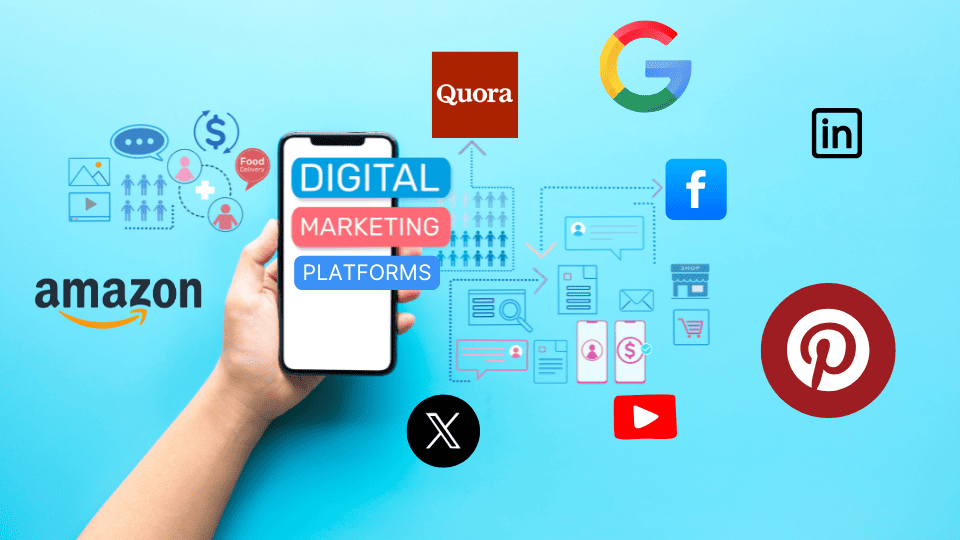
Marketing teams can use software to manage email campaigns, social media, advertising, content, customer journeys, analytics, and lead generation.
This can be particularly useful when a company is managing several marketing channels at once.
AI is also changing this category. Businesses are using AI to assist with content creation, personalization, campaign analysis, customer interactions, and automation.
Still, human creativity matters. A tool can generate ten advertising ideas in seconds, but someone still needs to decide which idea actually makes sense for the audience.
AI Business Software
AI has quickly moved from being an interesting extra feature to becoming part of everyday business software.
Companies are using AI to summarize documents, generate content, analyze data, answer customer questions, automate repetitive tasks, and support employees.
The biggest opportunity is not simply adding a chatbot to a website. Businesses are increasingly exploring AI systems that can participate in complete workflows.
For example, instead of only answering a customer question, an AI system might help identify the customer, check relevant information, prepare a response, and trigger the next step—with appropriate permissions and human oversight.
That is where AI can become genuinely useful: not just generating information, but helping work move forward.
Business Analytics Software
Data is only useful when you can understand it.
Analytics software turns raw information into reports, dashboards, trends, and performance insights. It can help businesses understand sales, website traffic, marketing performance, customer behavior, and operational results.
You do not need a complicated analytics setup to get started.
Even a simple dashboard showing revenue, leads, conversion rate, customer retention, and major expenses can help a business owner make better decisions.
The point is not to collect every possible number. It is to track the numbers that actually matter.
Cybersecurity Software

As businesses rely more heavily on digital systems, cybersecurity should not be treated as an optional extra.
Security software can help protect accounts, devices, customer information, company files, and business systems.
Basic protection should include strong passwords, multi-factor authentication, regular software updates, backups, and appropriate access controls.
AI is also increasingly being used in cybersecurity for detecting threats and helping security teams investigate alerts. At the same time, AI is being used by attackers, making security an increasingly important part of modern business technology.
Cloud Storage and Document Management
Remember when important files were saved on someone’s computer and everyone had to ask that person for access?
Cloud storage has made that much easier.
Teams can store documents online, share files, control permissions, and collaborate from different locations.
A good document management system should make it easy to answer simple questions such as:
Where is the latest version of this file? Who has access to it? Can I find it quickly?
If employees regularly waste time searching for documents, improving file organization may deliver more value than buying another advanced productivity tool.
How AI Is Changing Business Software
AI is becoming one of the biggest differences between older business software and newer platforms.
Instead of requiring employees to manually complete every step, AI can help with summarization, recommendations, data entry, customer support, workflow automation, and decision support.
However, businesses should avoid adopting AI simply because everyone else is doing it.
A better question is:
“What annoying or repetitive problem can AI solve for us?”
Starting with a real business problem is much more practical than starting with a trendy technology.
Choose Software Based on Your Business Size
A freelancer does not need the same software stack as a company with 500 employees.
A solo professional might need only:
- Accounting software
- Simple CRM
- Project management
- Cloud storage
- Communication tools
A growing company may also need HR, advanced analytics, marketing automation, cybersecurity, and more specialized systems.
The best software stack should grow with the business without becoming unnecessarily complicated.
How to Compare Business Software
When comparing tools, it is easy to get distracted by long feature lists. Instead, focus on how the software will actually fit into your working day.
| What to Check | Why It Matters |
|---|---|
| Price | Keeps software spending under control |
| Ease of use | Helps employees adopt it faster |
| Integrations | Allows different tools to work together |
| Security | Protects business and customer information |
| Scalability | Supports future growth |
| Support | Helps when something goes wrong |
| Automation | Reduces repetitive work |
| Reporting | Helps you understand performance |
A tool that your team actually uses is usually more valuable than an impressive platform that everyone avoids.
Do Not Buy Software Just Because It Is Popular
This is probably one of the most important tips in this guide.
A software tool can be highly rated and still be wrong for your business.
Before purchasing, ask your team what they currently struggle with. Maybe salespeople need better lead tracking. Perhaps your marketing team needs a content calendar. Maybe accounting is spending hours manually organizing invoices.
Start there.
Solve the problem first. Choose the software second.
This approach also helps prevent what many companies experience: paying for several tools that overlap with each other.
Consider an All-in-One Platform

Some businesses prefer an all-in-one platform that combines multiple functions such as CRM, invoicing, project management, scheduling, and marketing.
This can simplify administration because you have fewer logins, fewer subscriptions, and potentially fewer integration problems.
The downside is that an all-in-one platform may not be excellent at every individual function.
If your business has very specialized needs, separate best-in-class tools may make more sense.
Train Your Team Before Expecting Results
Buying software is only half the job.
If employees do not understand how to use it, the software will not magically improve productivity.
Give your team simple training, clear instructions, and time to practice. Explain why the company is using the tool and how it will make their work easier.
This is particularly important with AI. Current research and industry guidance increasingly emphasize that successful AI adoption requires people to learn how to work alongside these systems rather than simply receiving access to them.
Keep Your Business Software Stack Simple
There is a strange temptation in business to keep adding tools.
A new app promises better productivity. Another promises better communication. Another claims it can automate everything.
Before long, you have 15 subscriptions, multiple dashboards, and a team that cannot remember where anything lives.
A better approach is to regularly review your software stack.
Ask:
- Are we actually using this?
- Does it save us time?
- Does another tool already do the same thing?
- Is the team comfortable using it?
- Is the cost justified?
- Does it integrate with our important systems?
If the answer is consistently no, it may be time to let the tool go.
A Practical Software Stack for a Growing Business
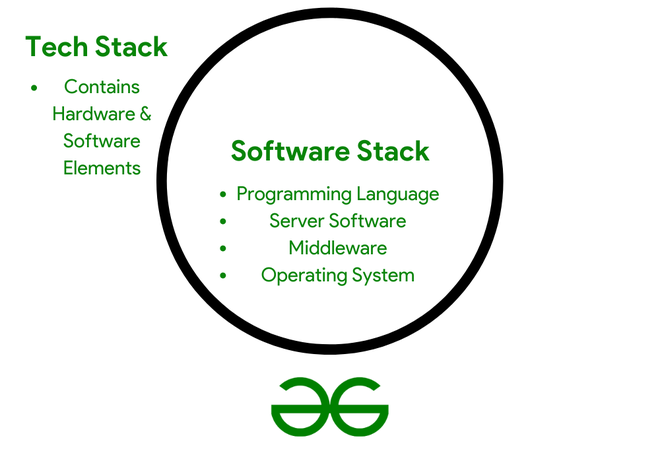
A simple business could start with something like this:
Communication + Project Management + CRM + Accounting + Cloud Storage + Security + AI
That does not mean buying seven different platforms immediately. Some products combine multiple functions.
For example, small businesses often benefit from getting the basics of money management, work organization, communication, and account security right before expanding their software stack.
The important thing is to build a system that your team can understand and maintain.
Business Software Should Make Work Feel Easier
At the end of the day, good business software should remove friction.
You should spend less time searching for information, entering the same data repeatedly, chasing people for updates, or completing boring administrative tasks.
That gives you more time for the things software cannot replace easily: talking to customers, developing ideas, solving problems, building relationships, and making important decisions.
The business software landscape in 2026 is moving quickly, especially with AI and automation becoming more deeply integrated into everyday workflows. But the smartest companies are not necessarily the ones using the most software. They are the ones using the right software for the right problems.